> For the complete documentation index, see [llms.txt](https://106-sam.gitbook.io/ejptv2-notes/llms.txt). Markdown versions of documentation pages are available by appending `.md` to page URLs; this page is available as [Markdown](https://106-sam.gitbook.io/ejptv2-notes/crto/cobalt-strike.md).
# Cobalt Strike
Cobalt Strike is a market leading command & control framework that provides a post-exploitation agent to simulate stealthy, long term embedded acters. Multiple aspects of the tooling can be modified to disguise itself as known malware or legitimate services. It has built-in capabilities for performing multiple TTPs including initial compromise, privilege escalation, and lateral movement. It also has build-in reporting and MITRE mapping.
### Components
There are three parts of Cobalt Strike that requires some introduction.
* **Beacon**
\
Beacon is Cobalt Strike's post exploitation agent. Once running on a compromised endpoint. It is responsible for communicating back to a team server, fetching post-exploitation jobs, executing them, and sending the results back. Beacon itself is implemented as Windows DLL but can be packaged into payloads of various formats including executables, PowerShell scripts and position independent shellcode.
* **Team Server**
\
The team server is a central control and logging system. It stores information collected during an engagement and builds up several data models that can be used to generate reports and throughout some Beacon workflows.
* **Client**\
\
The client is used by the red team operators to connect to one or more team servers to manage the engagement and interact with Beacon payloads. When connected to multiple team servers at the same time, the client collates and aggregates the data from them all to provide a single cohesive view of the engagement.
### Distributed operations
\
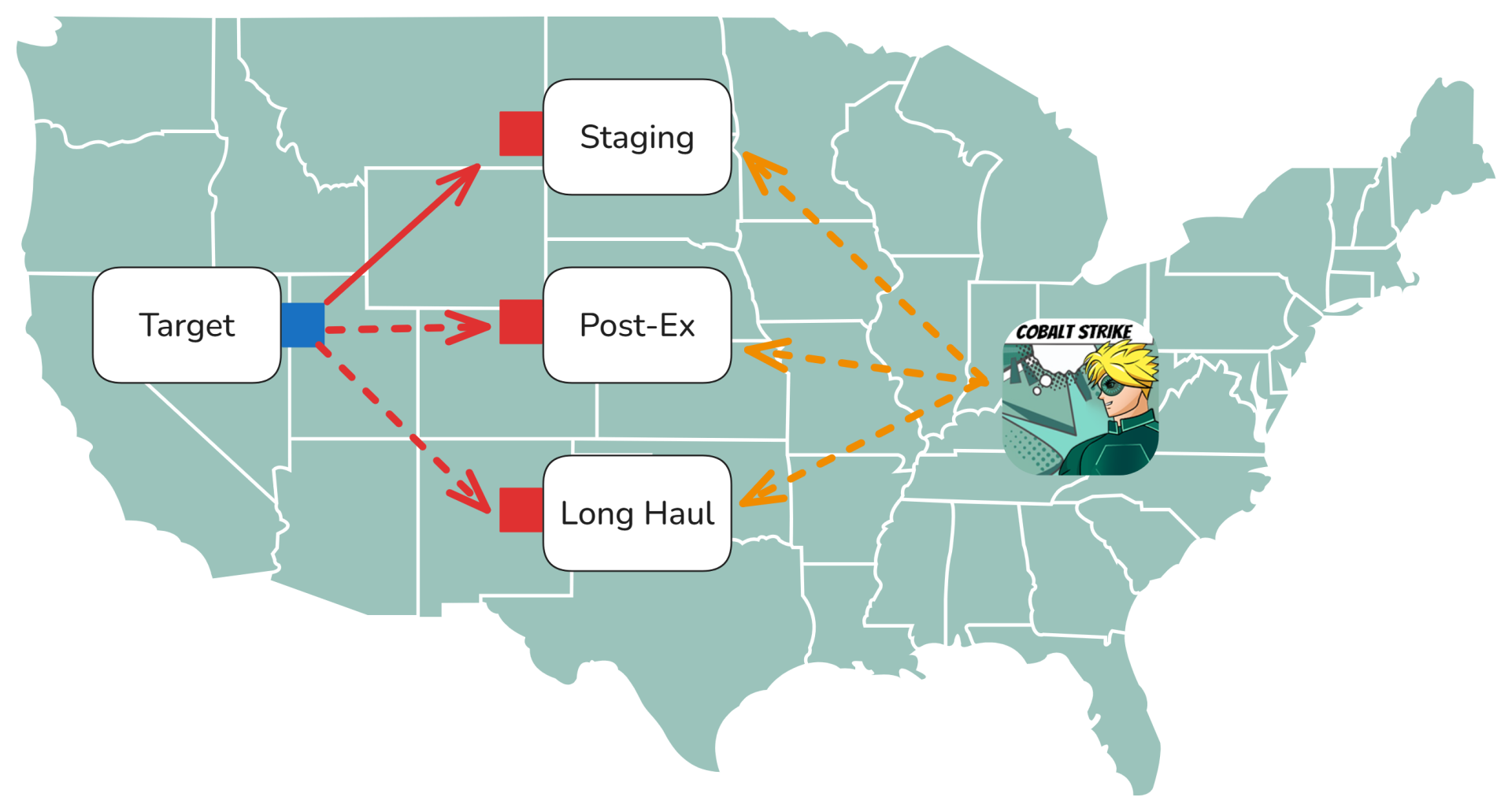
Cobalt Strike's design pattern for distributed operations is to stand up dedicated team servers for each phase of an engagement such as initial access, post-exploitation, and persistence. The rationale being that if part of an operation is discovered and blocked, the other channels can be used to maintain access. Cobalt Strike has multiple infrastructure features that make this easy to work with.
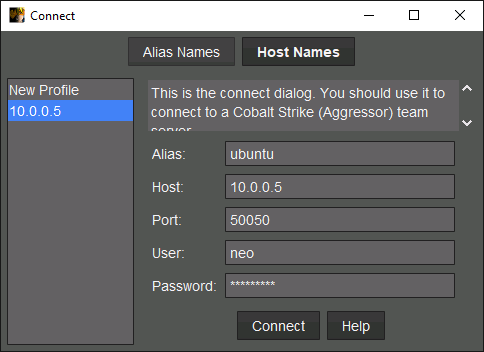
When launching the client, you're prompted to enter the details of a team server that you'd like to connect to.
\
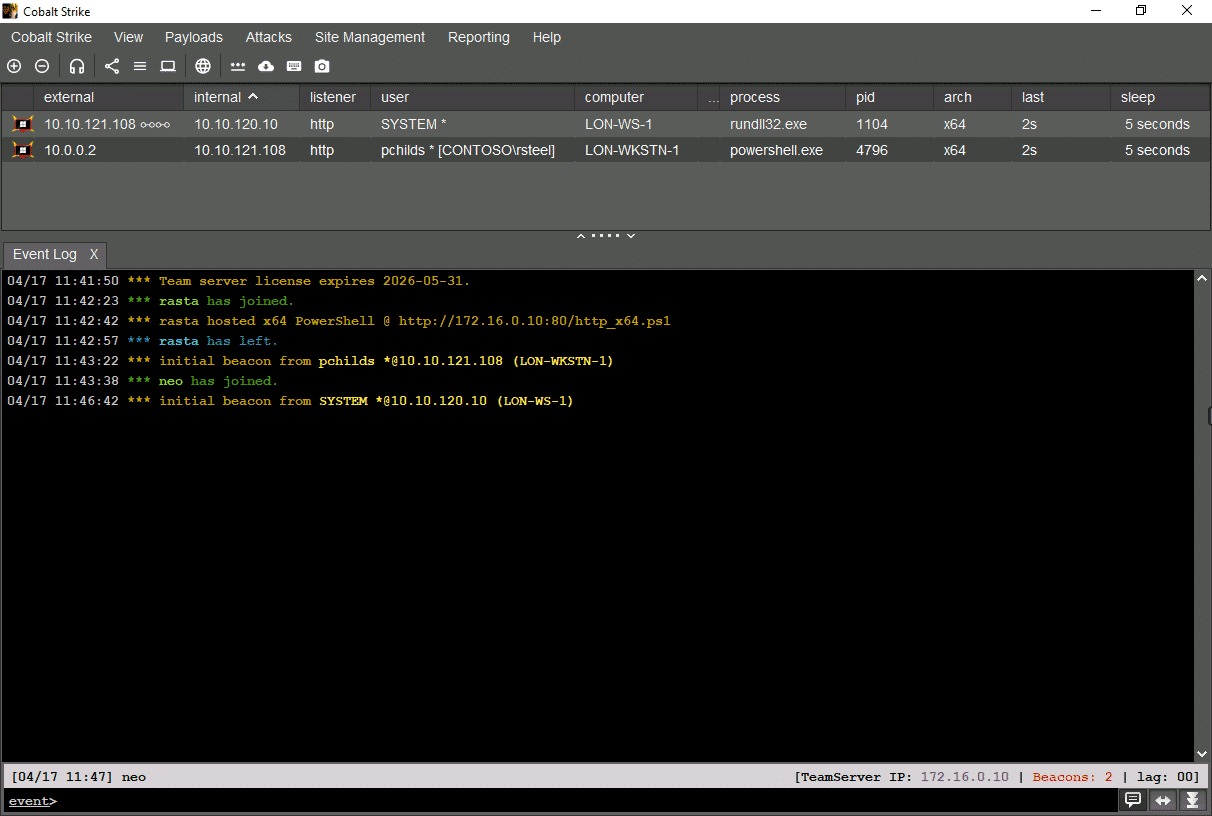
Once connected, you can connected to multiple other team servers at the same time. The client will consolidate the data between them all such as listener and active Beacon sessions. The following is a high-level summary of the client UI.
### Menubar
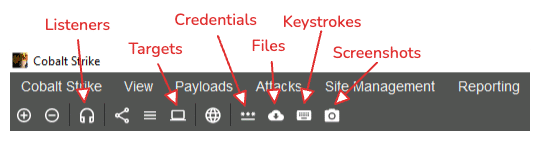
The menubar provides access to Cobalt Strike's various data model and configuration options.
This includes listener configurations, captured credentials, scanned targets, downloaded files, logged keystrokes, and screenshots.
### Session View
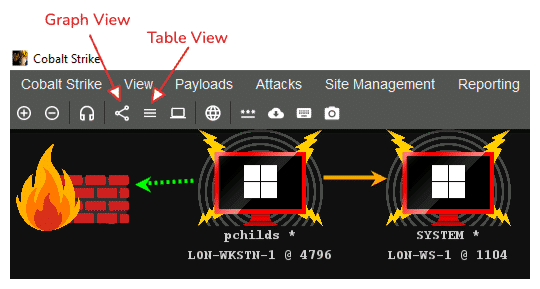
The session view displays Beacon sessions as either a table or a pivot graph.
The pivot graph is a visual representation of teh Beacon sessions and their relationship in P2P chains (more on that later).\
\
The list view provides a simpler view but includes more metadata about each session.
### Control View
The control view is where you interact with Beacon sessions and other aspects of a Team Server. \
\
The Event Log tab opens by default and displays global events that occur on the Team Server. This includes operators connecting & disconnecting, and new Beacon Sessions whne they appear.
The various data models, found in the View menu (and the menubar) will open up in this area as separate tabs. Tabs can be closed by clicking the X on the tab header.
### Status bar
The left-hand side of the status bar displays the current date/time, in UTC, and the nickname you used to connect to the Team Server.
The right-hand side of the status bar shows the IP address of the Team server (as it was provided on the command line when it was started); the number of Beacons currently within its data model, and the connection lag (in ms) between the client and the Team Server.